To Create Invoice
To create invoice go to --> Sales --> Click on Invoice

Click on Create invoice -
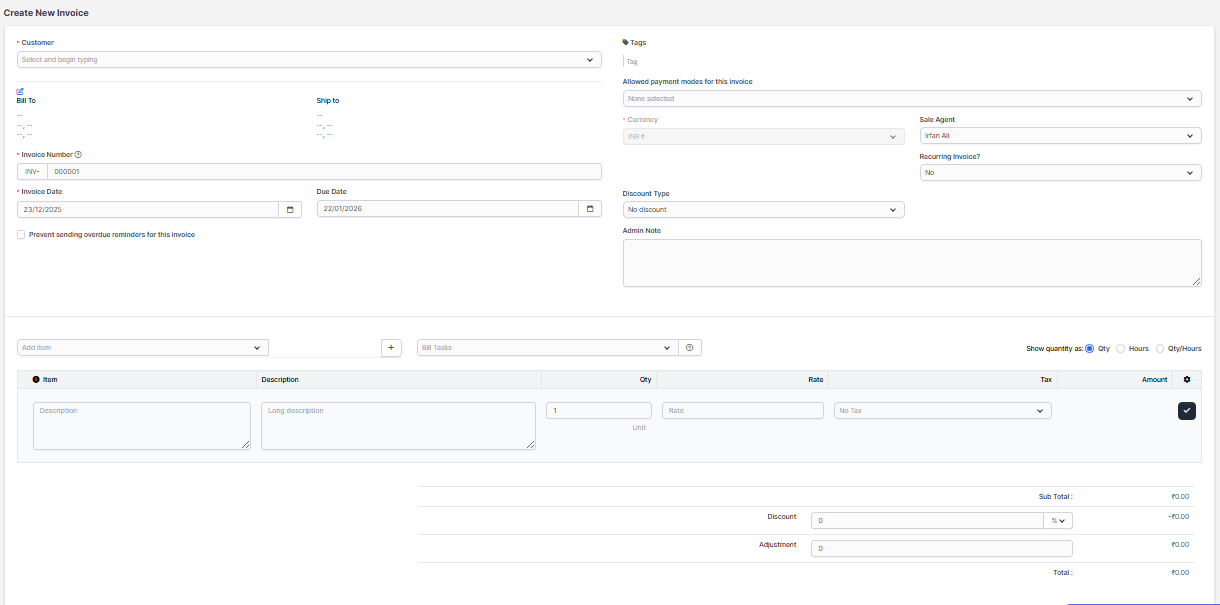
Customer - Select the customer from the drop down
Item -Select the item
Qty - select the quantity
Rate - add the price
Allowed payment modes for this invoice - select the bank account
After adding all the details , click on black tick mark to add the item, and then click on save.
To View Invoice
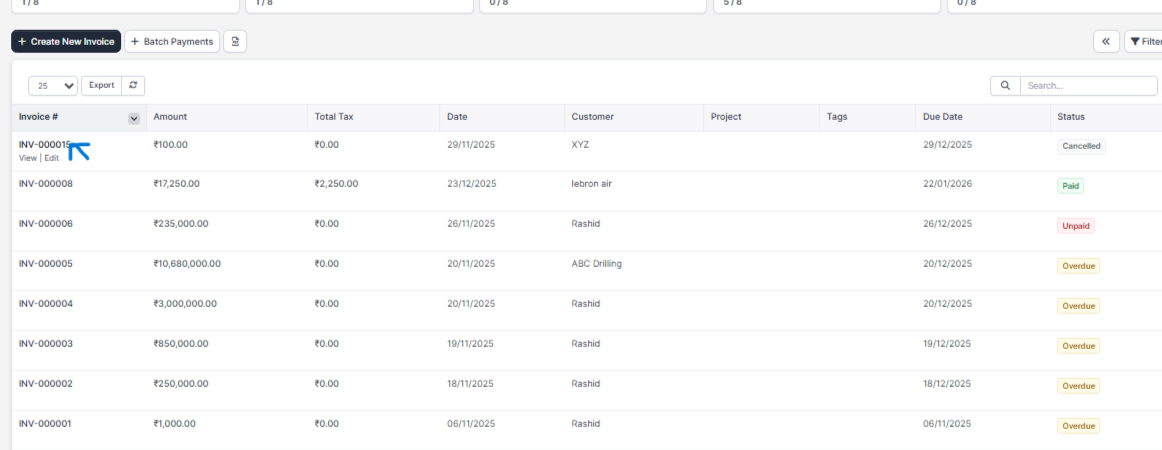
To view invoice click on view invoice
To Delete Invoice
To delete an invoice click on invoice name for eg. INV - 000015
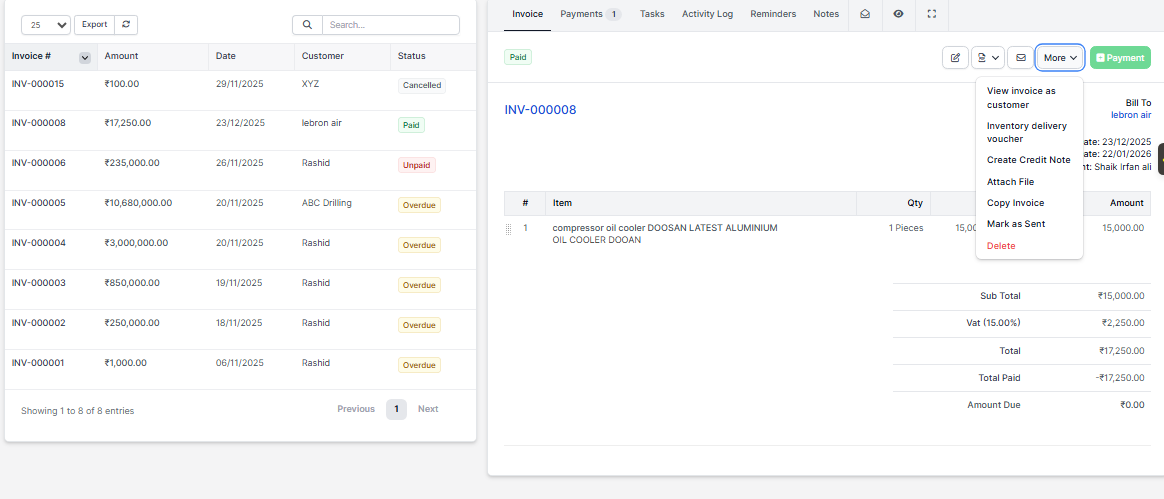
After opening go in more then delete option will be visible then click on delete to delete it permanently